 Unitly
Defect reports for property teams, done in minutes.
Defect inspections, move-in and move-out, handovers and Airbnb turnovers. Load the photos, type each finding once, and Unitly builds the finished report in Excel or PDF, in your company's own layout.
- System
- Windows 10 and 11
- Output
- Opens in Excel and Google Sheets
- Connection
- Works offline after activation
- Privacy
- Photos never leave your PC
Everything a unit report needs
For defect inspectors, real-estate agencies, property managers and short-stay operators. Built around how you already work: a folder per unit, a subfolder per room, and a lot of photos.
- 1.1
Summary page, filled in for you
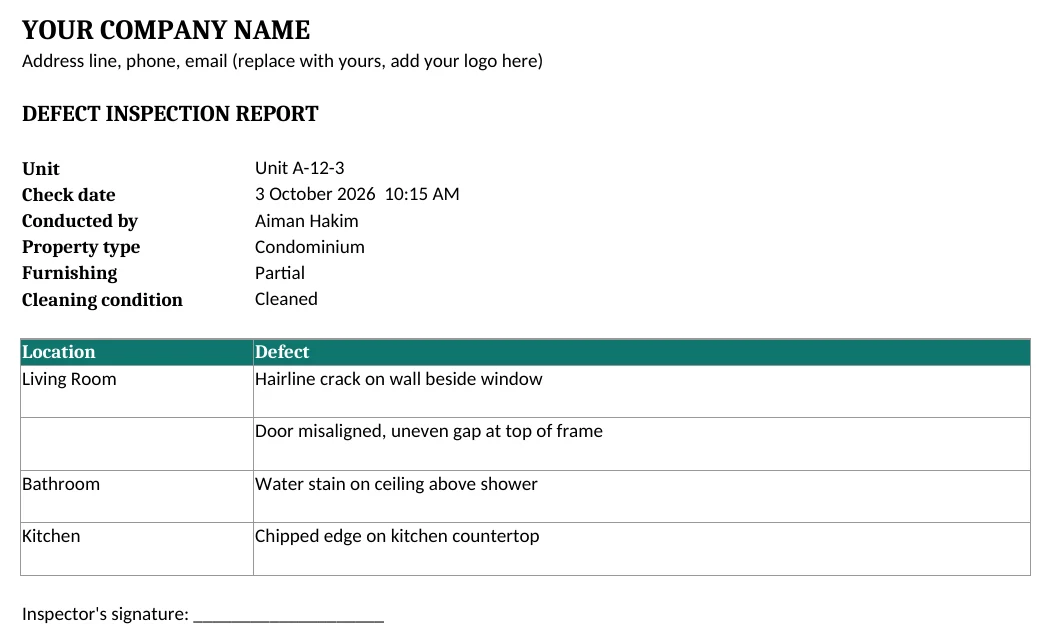
Every defect is listed by room on the Summary page, with inspector, property type and check date filled in.
- 1.2
Photos and videos, in order
Rooms load from your folders, numbered and sorted. Videos are listed by name in the report.
- 1.3
Type, press Enter, next
A large preview with zoom. Each caption saves and jumps to the next photo, so a full unit takes minutes.
- 1.4
Check date from your photos
The inspection date and time are read from the first photo, so nobody types them by hand.
- 1.5
Your company's own layout
Import any past report, Excel, Word or PDF. Unitly learns its layout and builds every new report the same way.
- 1.6
Six report types
Defect inspection, move-in, move-out, re-inspection, handover and Airbnb turnover, each with its own title and pages.
- 1.7
Move-out vs move-in, side by side
Pick the move-in folder and Unitly lines up the before and after photos room by room, with Fixed, Not fixed or New damage.
- 1.8
Severity, who pays and repair cost
Tag each defect Minor, Major or Critical, choose who is responsible, add a cost. The defect list totals it per party, ready for a deposit deduction or developer claim.
- 1.9
Handover checklist and sign-off
Keys, access cards, remotes, meter readings and appliances, plus a sign-off page. Sign on screen, or print and sign.
- 1.10
PDF and your branding
Save straight to PDF to send to clients. Add your logo, company details and brand colour once.
From site visit to report in three steps
Pick the unit folder
One subfolder per room. Unitly loads every photo and video in order.
Describe each defect
Type what you see. Fill in the inspector, property type, furnishing and cleaning condition once.
Generate the report
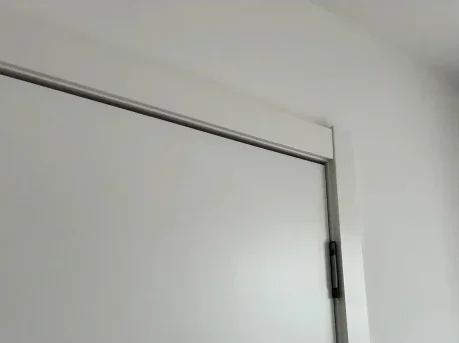
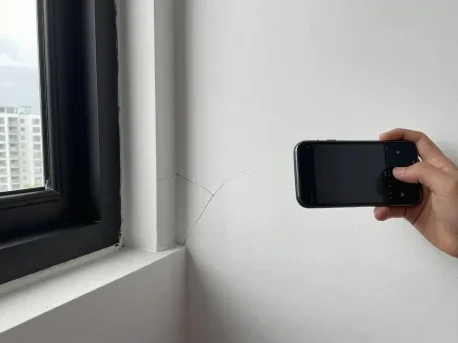
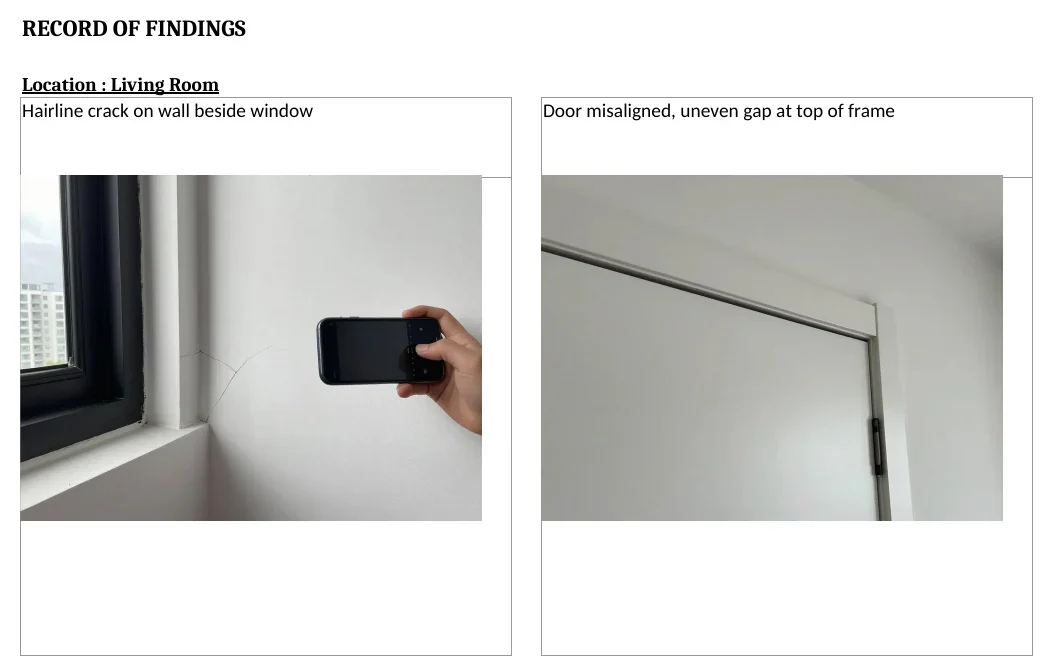
One click builds the Summary and Record of Finding, every photo placed and formatted.
One system for the whole unit
From the first inspection to the day the keys come back. New modules are included as updates.
- Available now
Defect inspection and re-inspection
Vacant possession defects, then a re-check that marks each one fixed or not.
- Available now
Move-in, move-out and handover
Tenancy condition reports compared side by side, with keys, meters and sign-off.
- Available now
Airbnb turnover
A quick check between guests, with damage and who pays.
One-time price. One key per computer.
Pay once with Touch 'n Go. No subscription. Not sure yet? Try Pro free for 48 hours.
| LiteRM 199per computer | ProRM 800per computer | Best valuePro, 2 keysRM 1,400RM 700 each, save RM 200 | |
|---|---|---|---|
| Computers | 1 | 1 | 2, two keys in one email |
| Rooms, photos and videos | Included | Included | Included |
| Finished Excel report, Unitly's ready-made layout | Included | Included | Included |
| Summary page and automatic check date | Included | Included | Included |
| Your company's report layout, learned from a past report | Not included | Included | Included |
| Check date read from your photos | Not included | Included | Included |
| Move-in / move-out comparison, re-inspection, handover, turnover | Not included | Included | Included |
| Severity, who pays and repair-cost totals | Not included | Included | Included |
| PDF export, sign-off page, your logo and colours | Not included | Included | Included |
| Zoom into photos, play videos in the app | Not included | Included | Included |
| New modules as they launch | Not included | Included | Included, on both |
| Buy Lite | Buy Pro | Buy 2 keys |
Checkout
Pay with your Touch 'n Go eWallet. Your licence key and download link are emailed once we confirm the payment.
- 01Plan and details
- 02Pay
- 03Confirm payment
- 04Done
Try Pro free for 48 hours
Every Pro feature on one computer. Enter your email and we send your trial key and a private download link.
- No payment or card needed
- Starts when you activate, not when you sign up
- Keep your reports when it ends
Get your trial key
Already a customer? Get a new download link
Questions
Something else? Email mohdkaiser1806@gmail.com.
How do I get the app?
After a free trial request or a confirmed purchase, we email your licence key and a private download link. The link works for 7 days. You can request a new one any time with the same email.
Can it match my company's report format?
Yes, with Pro. Import a report your company already made (Excel, Word or PDF). Unitly finds the details, the findings table and the photo pages, and builds every new report in that layout, with your letterhead and logo. Excel and Word work best; PDFs are converted first, so check the layout once.
How long does payment confirmation take?
We check every TNG payment by hand, usually within the same day. You get an order email right away and your key as soon as it is confirmed.
Can I use one licence on two computers?
No. Each key activates one computer. For two computers, the 2-key Pro deal is RM 1,400 instead of RM 1,600. Email us if you need to move a key to a new PC.
What happens when the trial ends?
The app asks for a licence key. Reports you already made are normal Excel files and stay on your computer.
Can I upgrade from Lite to Pro later?
Yes. Buy Pro, then click Upgrade to Pro in the app and enter the new key.
Does it need the internet?
Only to activate, and at least once every 14 days to stay active. Your photos never leave your computer.
What do I need?
A Windows 10 or 11 PC. Reports open in Excel and can be imported into Google Sheets. Saving as PDF uses the Microsoft Excel (or Word) already on your PC.